B2B For manufacturers, wholesalers and exporters
Your catalogue, the way your buyers search it.
A catalogue website and an enquiry desk for jewellery. Buyers browse by weight and design code and send you an enquiry instead of checking out. Your team runs it from one calm panel.

- No cart, no online prices
- Set up by our team
- On your own domain
Product
Two sides of one catalogue.
What your buyers see, and what your team uses. Both made for how jewellery is actually ordered.
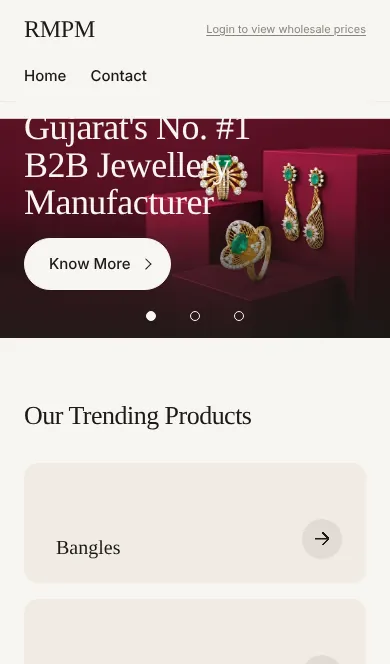
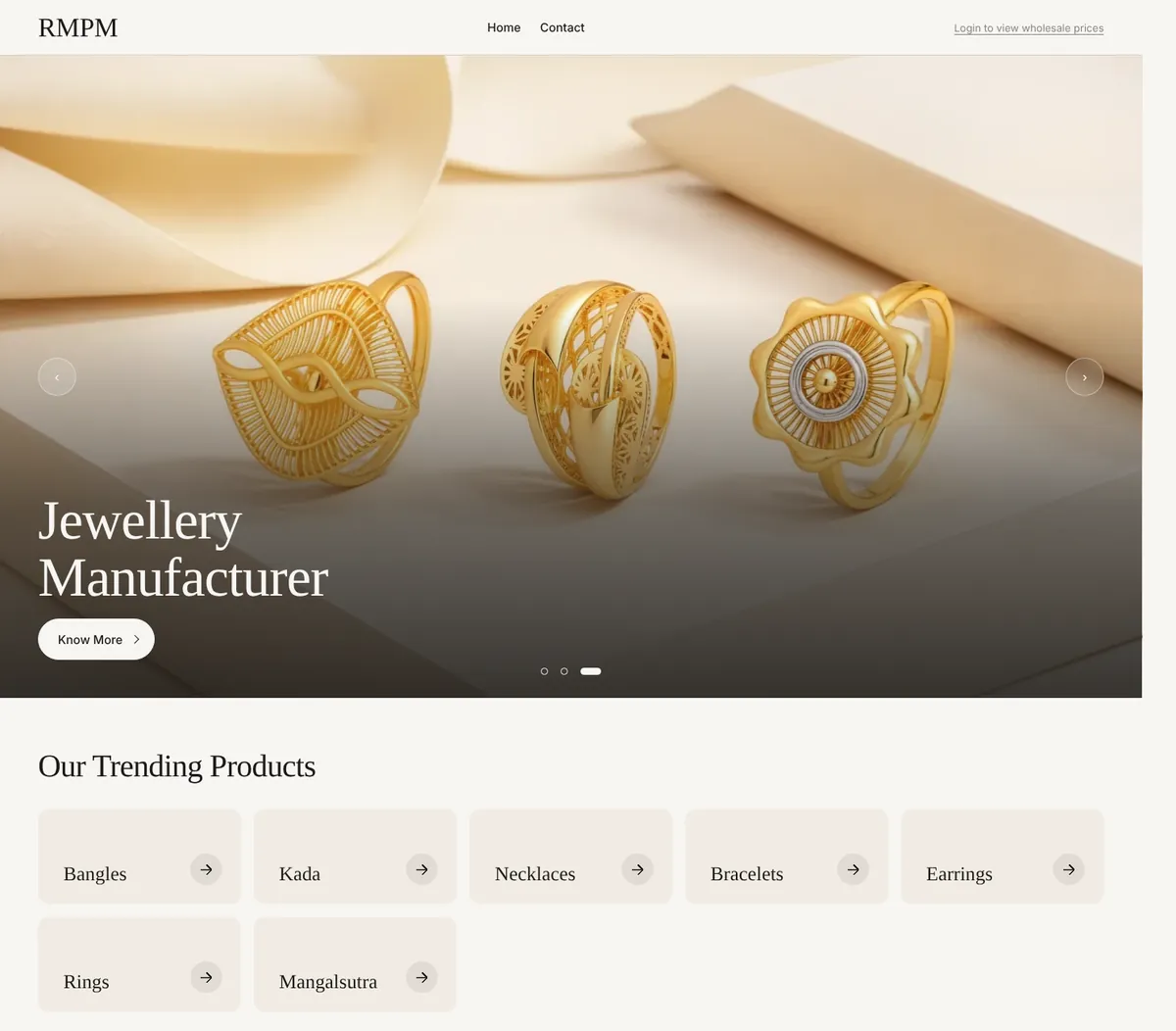
A storefront in your own brand
Designed for you, not picked from a template. Your photographs lead, full width, on your own domain.
- Filter by net weight first, then metal and category
- Every design carries its code up front
- Works as a phone app for your buyers
A calm panel for your team
Products, categories, collections, dealers and enquiries in one place. Search by code, weight, finish or tag and it finds the piece.
- Import a sheet and a ZIP of photographs, matched by code
- Move or publish hundreds of pieces at once
- Light and dark, on a laptop or a phone
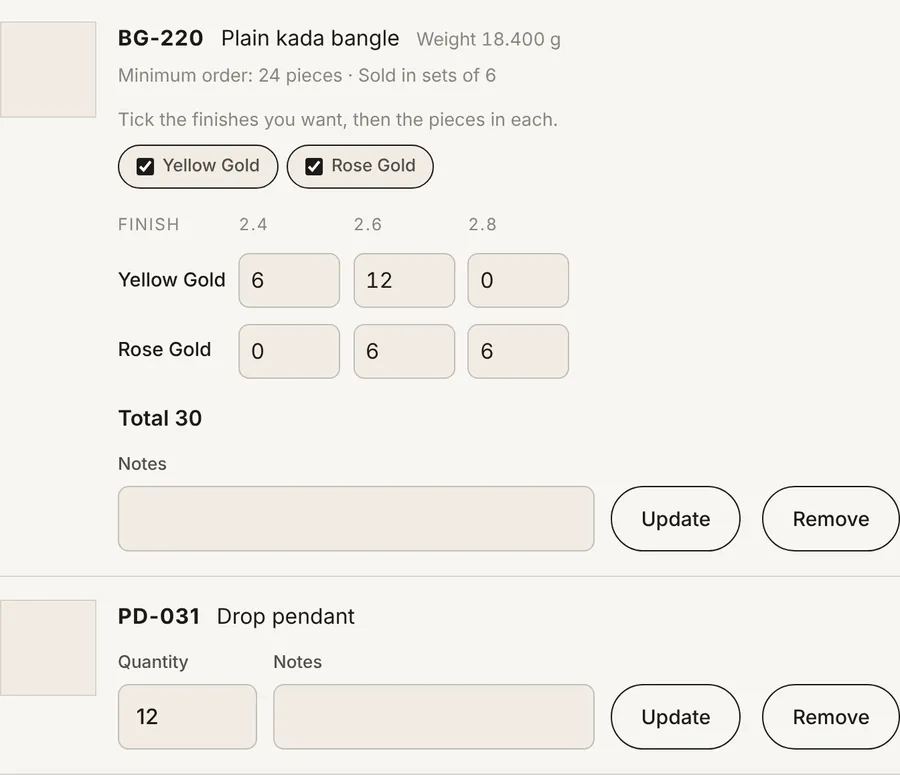
Enquiries, not checkout
Buyers build a list with pieces per finish and per size, and notes. Minimum order and sets are checked before it is sent. It lands in your panel and your inbox, ready to print.
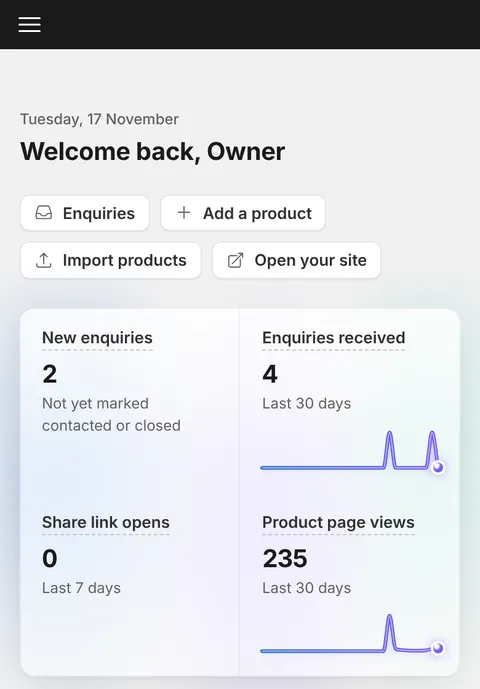
Know what buyers look at
Which designs are opened, which share links were seen, and which enquiries are still waiting for a call. At a glance, every morning.

Weight first
A buyer sets a gram range before anything else, because that is how gold and silver are ordered.
The code leads
Every piece carries its design code up front. A buyer quotes it on the phone and you find it in seconds.
You decide who sees what
Buyer logins, dealer groups, and collections only certain dealers can see.
Import in bulk
An Excel or CSV sheet and a ZIP of photographs, matched by code. Folders can become categories.
Exhibition QR
One QR for the whole stall, or one per piece. Every enquiry remembers where it came from.
Share links that report back
Send a selection on WhatsApp and see who opened it and which designs they looked at.
Traceable photographs
Images carry your name, and each signed-in buyer’s own code, so a copied design shows who kept it.
On your own domain
With a backup address on ours that keeps working if your DNS ever breaks.
Where we fit
We won’t replace your ERP. We’ll build your brand.
Stock, orders and accounts stay in the software you already run. We make the part your buyers see, with the photography and design a software company does not have.
What you get
- A site designed for your brand, set up and kept polished by our team
- Catalogue photography, reels and copy from our own studio
- Your products, categories, enquiries and buyers, managed by you
What we deliberately don’t do
- Stock counts, warehouses or order processing
- Online payment for jewellery
- Marketplaces: your buyers never see anyone else’s catalogue
What’s new
Built every week, with the people who use it.
Every line here started as a request from a manufacturer.
-
A new client panelA dark sidebar, one search for code, weight, finish and tags, and your own logo on it.
-
Pieces per finish on every enquiryYellow gold, rose gold, white or black rhodium, counted separately and printed on one page.
-
One QR for a whole stallPrint it once for an exhibition. Every enquiry remembers it came from the stand.
-
Know who opened your share linkAn alert when a buyer opens it, and the designs they looked at.
-
Sizes, minimum order and setsBuyers enter pieces per size. Minimum order and set size are checked for them.
-
Your catalogue as a phone appBuyers add it to their home screen in one tap.
Getting started
From first call to a live catalogue.
-
Show us your catalogue
Request a demo. We walk you through a live catalogue and look at the size and shape of yours.
-
We set it up
Your designs and photographs are imported, your site is designed, and your domain and enquiry email are connected.
-
You go live
You get your own panel to manage products and answer enquiries. The licence renews every six or twelve months.
See it with your own designs.
A short walkthrough of a live catalogue, then a written quote for yours.
No self sign-up. Every catalogue is set up by our team, and pricing is quoted per client.